
You can integrate your licensed Cashmere content directly into ChatGPT using Cashmere’s MCP (Model Context Protocol) server. This allows ChatGPT to reference and use your premium content during conversations.
Follow the steps below to connect.
1. Create a Cashmere Account
If you don’t already have an account, sign up at:
https://cashmere.io/accounts/signup/
2. Ensure You Have a Content License
You must have at least one licensed content package attached to your account.
3. Open ChatGPT and Add a Custom MCP Connector
Cashmere currently integrates with ChatGPT through a Custom Connector.
Instructions on OpenAI’s website.
ChatGPT desktop app
The desktop app calls connectors plugins. It has two forms for adding an MCP server. Only one of them has an Authentication field.
Important: Do not use Settings → Plugins → Add. That form only takes a URL, a bearer token, and headers. It cannot do OAuth, so the Cashmere sign-in never starts.
Use this route instead:
- In Settings, turn on Developer mode. The Create custom MCP server option does not appear until you do.
- Click the Plugins icon in the left-hand rail of the app (not the Plugins item inside Settings).
- On the Customize page, select Plugins.
- Click Add, then Create custom MCP server.
- Fill in the form with the values in step 4.
- Tick I understand and want to continue.
- Click Create as a plugin.
4. Configure the Connector
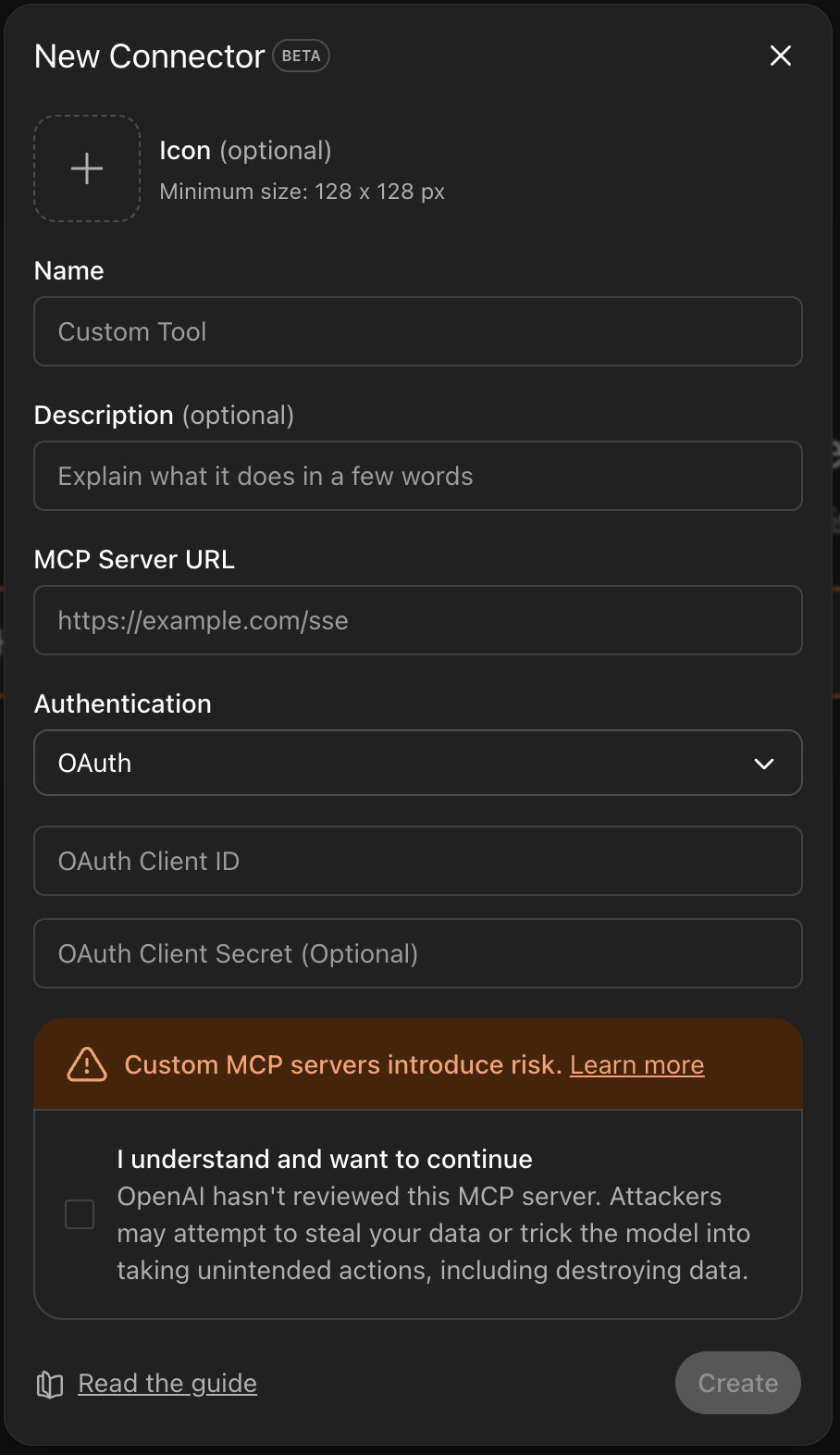
In the ChatGPT browser app, go to Settings → Apps → Advanced settings → Create app. In the desktop app, use the route above. Then enter the following:
4a. Icon
Upload an Icon for your connector (or you can use this one):

4b. Name
Cashmere
4c. Description
Access to high quality, authoritative, premium content
4d. MCP Server URL
https://mcp.cashmere.io
4e. Authentication
Select: OAuth
This setting is required. Without it, ChatGPT never sends you to the Cashmere sign-in, and the connector cannot reach your licensed content. If the form has no Authentication field, you are on the wrong form. Go back to step 3.
4f. OAuth Client ID / Secret
Leave both fields blank.
5. Complete Authentication
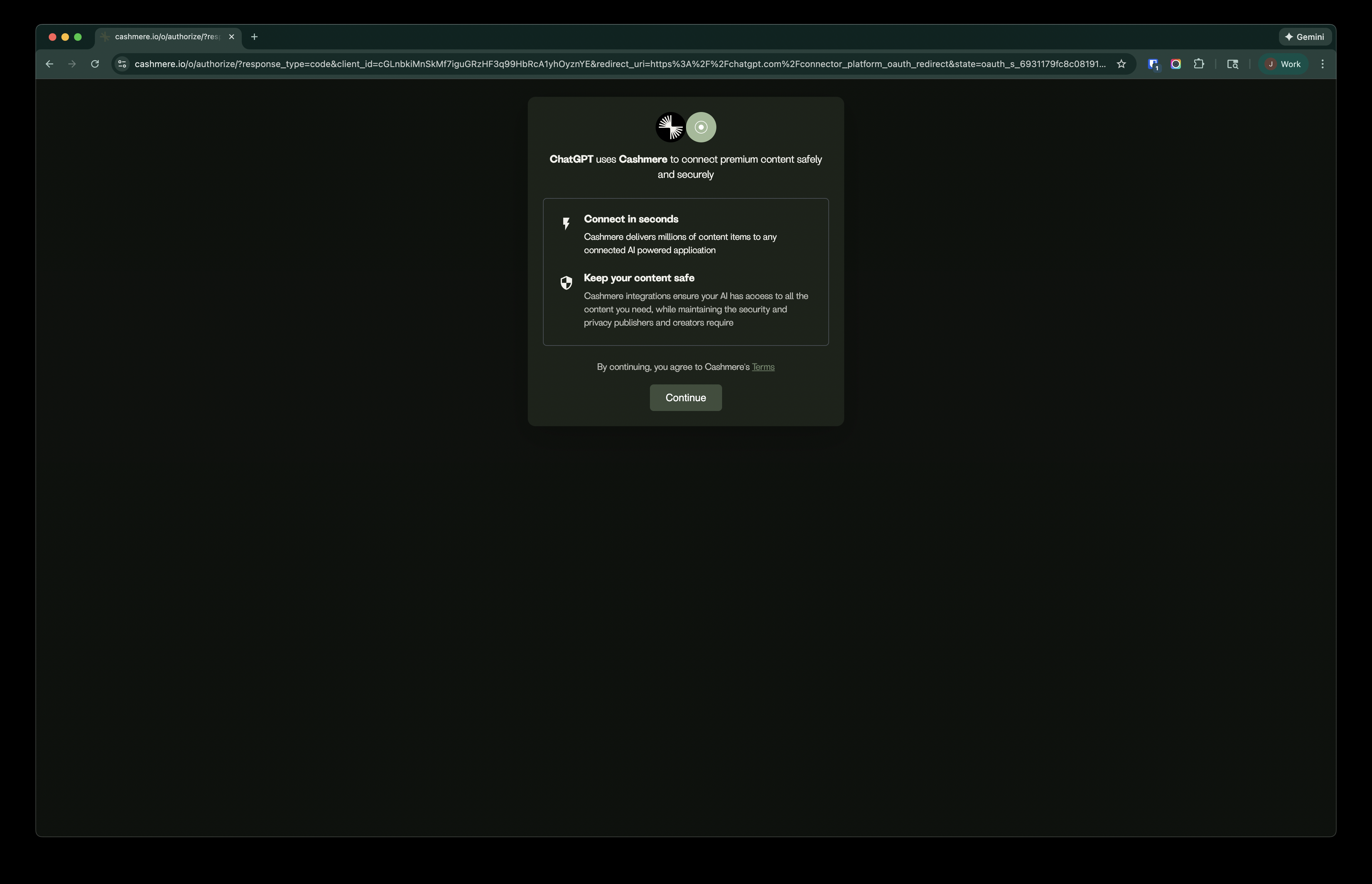
After saving the connector configuration, you will be redirected to the Cashmere login page.
Sign in with your Cashmere credentials.
6. Select Licensed Content
After logging in, you’ll be prompted to choose which licensed content you want ChatGPT to access.
Choose Select All unless you want to restrict access to specific content packages.
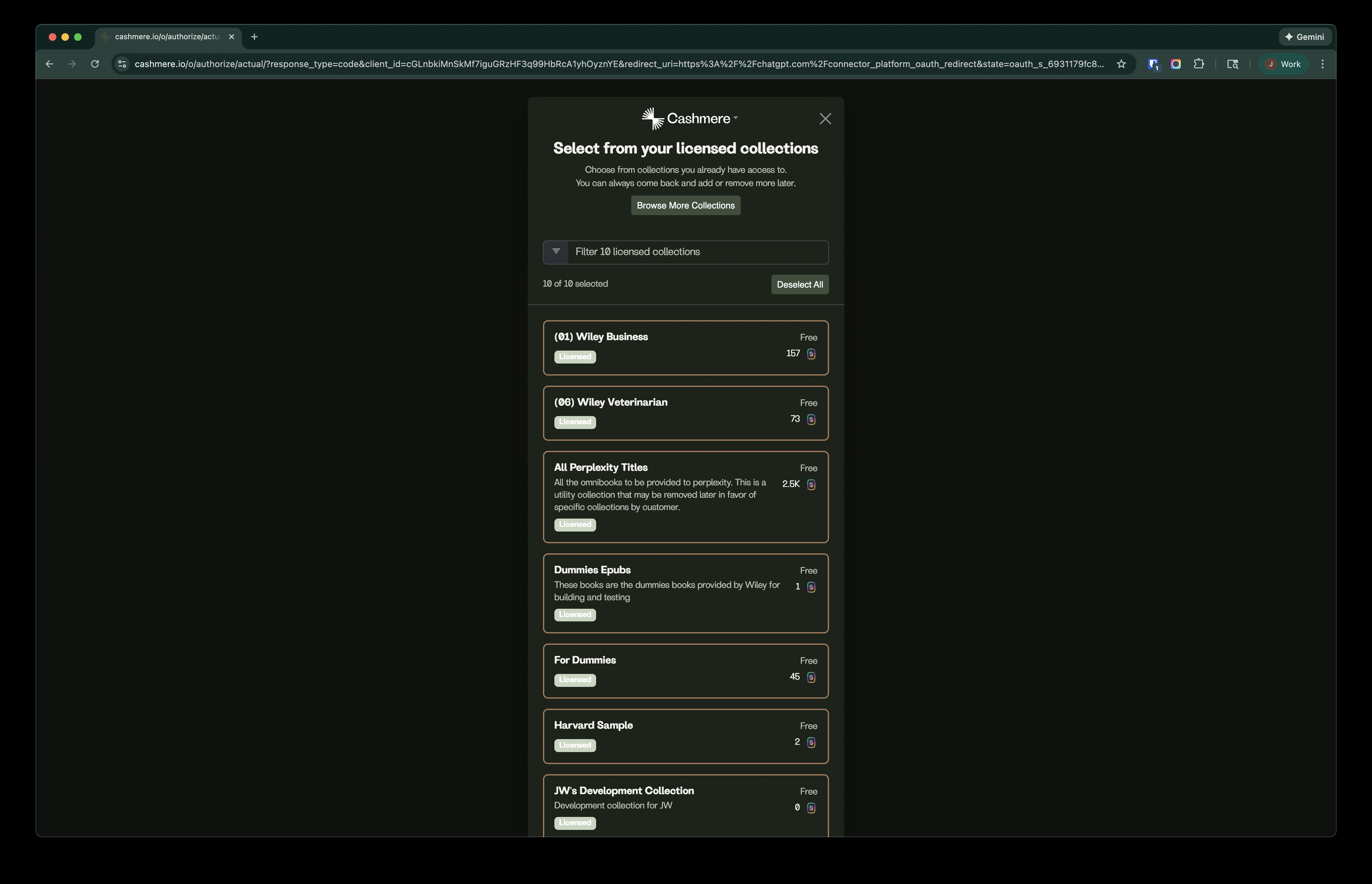
Once confirmed, ChatGPT will be able to access your selected content automatically.
Some publisher MCP servers skip this step and grant their own collections. If that is the case, sign-in connects the server right away.


Using Cashmere Content in ChatGPT
Once connected:
- ChatGPT will automatically invoke the Cashmere MCP tool when it recognizes a query that requires premium content.
- If you mention “Cashmere” explicitly, ChatGPT will always check the connector and use the tool.
- You can reference your content directly in prompts (e.g., “Using the Cashmere version of [title], summarize chapter 3.”).
Read more about the MCP Tools available via our MCP server.